
Free OnlyFans pages can change their pricing model without warning, and the shift from open access to an added paid tier catches many followers off guard. This article explains why that happens, what stays accessible after a change, and how to decide or exit without paying for something you did not choose.

The platform itself gives creators full control over their subscription price, so a page listed at $0 today can carry a tier fee tomorrow. Understanding that structure is the first step toward handling a quiet conversion calmly.
Why a free page changes its model
A free page is simply a page whose subscription price is set to $0. The creator earns through pay-per-view messages and tips instead of a monthly charge, which means income depends on how many followers unlock individual posts. That arrangement works until engagement flattens or the workload grows beyond what tips cover.
When that happens, adding a paid tier converts the audience into predictable monthly revenue. The change is a business decision, not a personal one, and it is fully permitted by the platform’s pricing tools. Followers usually learn about it through the page itself rather than any official notice.
The triggers subscribers tend to notice include:
- A pinned post describing a new tier, a relaunch, or “changes coming” without specifics.
- A new tier menu appearing at the top of the page or in the subscription area.
- Previously open posts becoming locked or blurred when viewed again.
- Fewer public posts per week with more content pushed to messages.
- A price field that no longer reads $0 on the subscribe button.
None of these signals is proof on its own. Two or three appearing together within a short window usually means the page is moving toward a paid structure.
Practical tip: screenshot the subscription page and its price whenever you join a free page. If the model changes later, that image is your record of what you originally agreed to.

Warning signs before the switch
Most conversions leave a trail. Announcements get softer before a price appears, because creators want to keep followers rather than lose them in one day. Reading those posts carefully gives you time to decide before a charge hits.
The table below pairs common signals with what they usually mean and the step worth taking.
| Signal | What it usually means | What to do |
| Pinned post about “new tiers” | A paid structure is being prepared | Read the comments for a date and check the price field weekly |
| Tier menu appears with $0 still showing | Free access continues, paid extras are being added | Decide whether the extras matter before subscribing |
| Older posts become locked | Content is being moved behind a paywall | Note which posts you already had access to |
| Subscribe button changes to a dollar amount | The model has already changed | Check your renewal status before the next billing date |
| Frequent pay-per-view messages | The creator is testing paid demand | Track how much you spend in a month before committing |
A pinned announcement is the clearest early signal because it stays visible at the top of the feed. If it mentions “supporting the page” or “keeping things running” without a number, expect the number to follow.

What existing followers actually keep
Current access usually survives a model change. If you were subscribed during a paid period, that period runs to its end even if the price rises, and access continues until the paid term finishes. The important exception is auto-renew, which stops when a creator raises the subscription price.
What changes is the future. New posts can sit behind the new tier while your existing access covers only what was published before the switch. That distinction matters when you weigh whether the page still delivers what you joined for.
Monthly costs to expect after a conversion:
- The new subscription price, which can sit anywhere from $4.99 to $49.99 depending on the creator.
- Pay-per-view messages that remain separate from the subscription charge.
- Tips, which stay optional but are often requested more frequently after a switch.
- Renewal charges that resume only if you re-enable auto-renew at the new price.
Typical paid pages sit between $4.99 and $15, and many average $5 to $10. There is no base price below $4.99 on the platform; only a promotional first month may dip under that figure. Treat any ongoing price under $4.99 as a promotion with an expiry, not a permanent rate.

Deciding whether the new tier is worth it
Once a price appears, the decision becomes simple arithmetic against your own habits. Compare what you actually used on the free page against what the paid tier promises to include. If the free portion covered most of your interest, a paid tier adds little.
Ask yourself these questions before subscribing:
- How many posts per week did the creator publish before the change, and is that pace likely to continue?
- What remains free after the switch, and is that portion still worth following?
- What exactly does the new price cover — feed posts, messages, or both?
- Does the price sit near the lower end of the $4.99 to $49.99 range, or near the top?
- How much did you spend on pay-per-view and tips in the last month, and is that total lower than the new subscription?
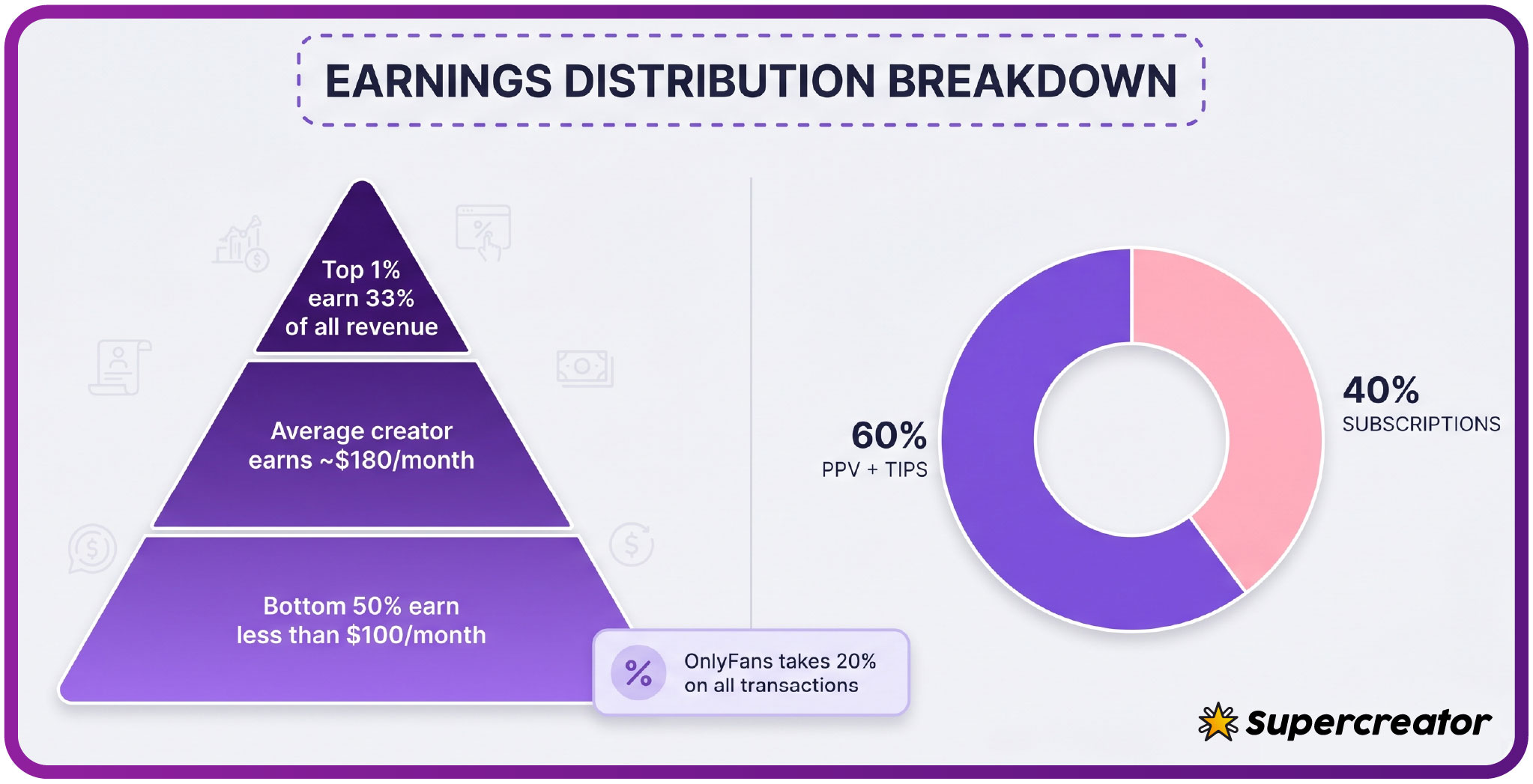
If the answers point to a monthly cost higher than your previous spending, the tier is not an upgrade for you. Remember that the platform takes a 20% cut of subscriptions, tips, and pay-per-view, so the creator keeps 80% of whatever you pay.

Cancelling cleanly if you leave
Leaving a converted page is straightforward if you act before the next billing date. Open your subscription settings, find the page, and turn off auto-renew. Access continues to the end of the current paid period, and no further charge should follow.
Mistakes to avoid during cancellation:
- Assuming that removing the page from a saved list cancels the subscription — it does not.
- Waiting until the renewal date to act, when a charge may already be processing.
- Re-enabling auto-renew by accident while browsing the new tier options.
- Ignoring a promotional first month that converts to a higher standard rate afterward.
- Deleting your payment record before confirming the cancellation went through.
Check the confirmation screen and keep a screenshot of the cancellation date. If a charge appears after you cancelled, that image is the fastest way to resolve it with support.

Checking the page before you follow
OnlyFans has no built-in discovery feed or directory, so ranking sites exist to help people find pages in the first place. BestOnlyFans is one of the sites that lists free pages alongside paid ones, which makes it possible to compare models before following anything.
Before you follow, open the subscription area and read the price field rather than the page description. A page labelled free may already carry a paid tier for new posts while keeping older content open. If a tier menu exists, the page is not purely free regardless of what the bio says.
Three checks take under a minute: confirm the price reads $0, confirm whether a tier menu is present, and skim the pinned post for words like “tier” or “support.” Together they reveal whether the free label reflects the current model or an old one. If you use onlyfans free girl listings, apply the same checks after clicking through, because listings update more slowly than pages do.
Telling a real conversion from a temporary promo
A temporary promotion and a permanent model change look similar in the first week. The difference shows up in how long the price holds and whether the free portion shrinks at the same time. Promotions usually keep the free tier intact and add an optional paid option.
Compare the two patterns below before deciding how to respond.
| Sign | Temporary promotion | Permanent conversion |
| Duration | Stated end date or first-month wording | No end date mentioned |
| Free access | Free tier stays available | Free posts decrease or stop |
| Price | Often below $4.99 for the first month | Settles at $4.99 or higher |
| Messaging | Framed as a limited offer | Framed as the new structure |
| Renewal | Auto-renew usually off after the promo | Auto-renew offered at the new rate |
If a page keeps its free tier and adds a paid option, following costs nothing and you can ignore the tier entirely. If the free portion visibly shrinks, treat the change as permanent until the page says otherwise.
Keeping a record of what you paid for
A short written record prevents arguments later, especially when a model changes mid-subscription. Nothing on the platform preserves the terms you originally joined under, so your own notes are the only reliable reference. BestOnlyFans readers often keep this information in a simple note file.
Notes worth saving:
- The price at signup, including whether it read $0 or a dollar amount.
- The date you subscribed and the date each paid period ends.
- What was included at that price, such as feed access, messages, or both.
- Whether auto-renew was on, and the date you turned it off if you did.
- Screenshots of the subscription page and any cancellation confirmation.
With those details on hand, you can tell within seconds whether a charge is legitimate and whether the page delivered what it promised. That record also makes a support request faster if a billing problem appears after a conversion. BestOnlyFans refreshes its rankings every month.
FAQ
Can a free page start charging without notifying followers?
Yes. Creators control the subscription price directly, so a page set to $0 can switch to a paid tier without a formal notice, though most announce it through a pinned post first.
Do I lose access immediately when the price goes up?
No. Existing access continues to the end of the current paid period, and auto-renew simply stops when the creator raises the subscription price.
Why do some subscriptions cost less than $4.99?
Only a promotional first month can dip below that figure. There is no base price under $4.99, so any lower rate is temporary and rises afterward.
How much of my payment reaches the creator?
The platform takes a 20% fee on subscriptions, tips, and pay-per-view, so the creator keeps 80% of everything you pay.